
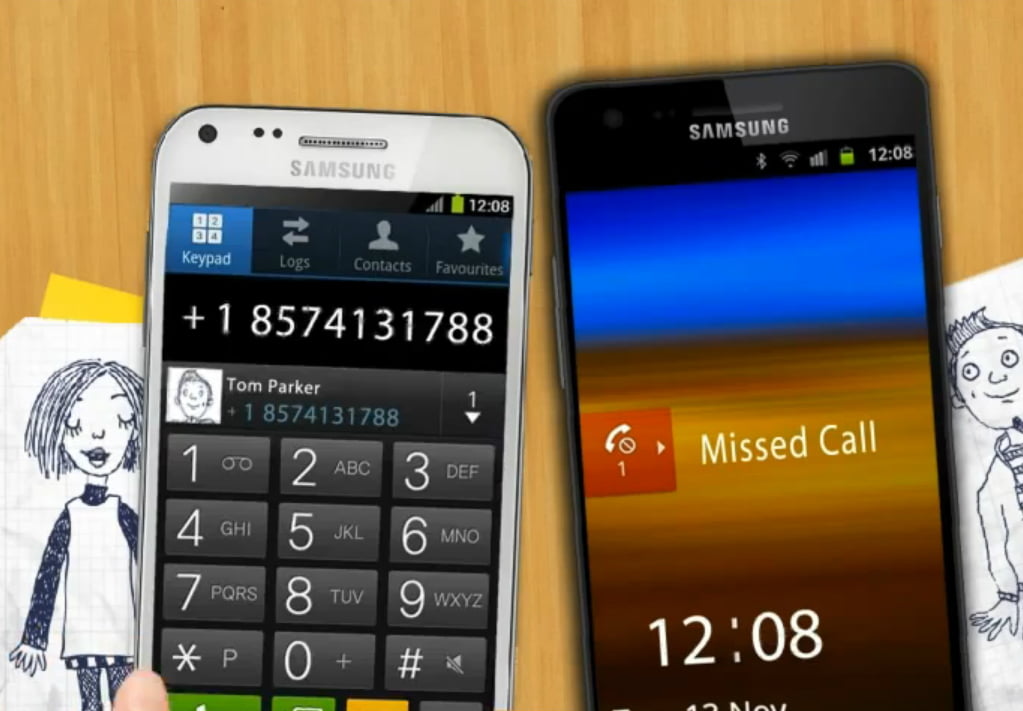
If you thought the mobile communications mix was rich enough already – with voice, text, IM, social networking and so on – think again. An Israeli app developer reckons there’s room for one more way to exchange messages, which combines the urgency of a voice with the convenience of text.
Related articles
- Sync.ME: Know Everything About Anyone Who Phones You
- ‘Rounds’ Launches Mobile App For Enhanced Video Chat
SayWhat is an Android app (free to download from Google Play) that lets you respond to an incoming voice call by sending a text message or emoticon/symbol, instead of answering the call. It also includes a “can you talk” button that pings your contact to check whether they are free for a call before dialing their number – so you know whether or not to make the call in the first place.
The broad-brush idea here is that you don’t always have time to answer a call – but you don’t necessarily want to flat-out reject the call since doing that is not necessarily a nuanced enough response for today’s hyper sophisticated mobile communicators.
Text missives can be chosen from a list of stock phrases such as “Hi, what’s up?” or “Getting back you”, which are pigeon-holed into basic categories like “work”, “pleasure”, “casual” and “love” for quick reference. You can also compose your own missives in real-time within the app so you can respond in more detail. The point, in the app maker’s words, is to establish “the agenda of the call” before you start doing any actual talking.
Send a winking smile to your boss – if you dare!
SayWhat also puts a lot of emphasis on fun – hence the addition of emoticons/symbols to the mix – which the developer describes as “a proven market for teenagers worldwide”.
Now, before I go any further, it’s worth pointing out that Android 4.0 (and above) includes a feature – called Quick Response – that lets you respond to an incoming call with a “here’s one I made earlier” pre-written text message. Which does rather steal some of SayWhat’s thunder. Presumably the app maker is hoping to add more value in its offering – by pimping it out with flourishes such as the aforementioned emoticons and categories — so you can respond to a call from your boss with a winking smiley (if you dare).
Asked how it plans to distinguish its app from Android’s built-in text call reject feature, SayWhat sends me an email saying: “We’ll get back to you shortly” – so you can’t accuse them of not practicing the text-based holding responses they are preaching. And indeed, they are true to their word, responding at length later to explain that their app empowers the caller by letting them find out what a call is about before they decide to answer it.
“The SayWhat app adds a completely new dimension for the recipient. While you can text back with a response through a reject with a call text option, until now, you had to answer the call to find out what it’s about. The biggest value add of the app is for the recipient who now can see what the call is about before they answer it, helping to set the agenda (similar to an email subject line),” says the app maker’s CEO. “The use cases for the app are endless. (Just think how many times are you in a meeting and the phone keeps ringing and ringing and you don’t know whether it’s an emergency or if your husband is just calling to see what’s for dinner). SayWhat answers that critical question of why someone is calling.”
Making communication a little bit simpler
Moving beyond Android’s Quick Response feature, any smartphone user can of course affect a fairly similar outcome — by rejecting an incoming call and then sending an SMS to that person straight afterwards. Or by using IM before making a call to find out if the person is free to talk. But SayWhat’s system cuts out a few steps since you can simultaneously text the caller from the call screen – thereby making it that little bit simpler to make your communications that little bit more convoluted. That, as they say, is progress.
The person calling you doesn’t need to have SayWhat installed to view your ‘I can’t take your call right now but I still <3 you’ missive – if they don’t have the app they’ll get your text response by SMS. Presumably some of the more obscure symbols won’t necessarily translate to text though. “The best user experience is achieved when both sides have the app,” the CEO tells me.
…
To continue reading this article, click here.
Via TechCrunch
Photo by SayWhat